
What we wanted to make
Most game tables have one person keeping score. They write everything down and get asked "What's my score?" over and over. Table Score is meant to retire that job.
One person creates a table and shows the QR code; everyone else joins with just a name. No sign-up. You pick a type — Score, Life, Money or Custom — so it works for board games and card games alike.
Wishes we had before we started
This idea came with specific wishes from the start: work for any game, any number of players, show a change on everyone's screen right away, make it clear who changed what and when, let you lock a table with a passphrase, and don't let data pile up forever.
We built all of it. A table disappears after 24 hours without changes, and all we keep is the settings, seats, scores and the last 200 changes.
What we cared about most: no more "did that go through?"
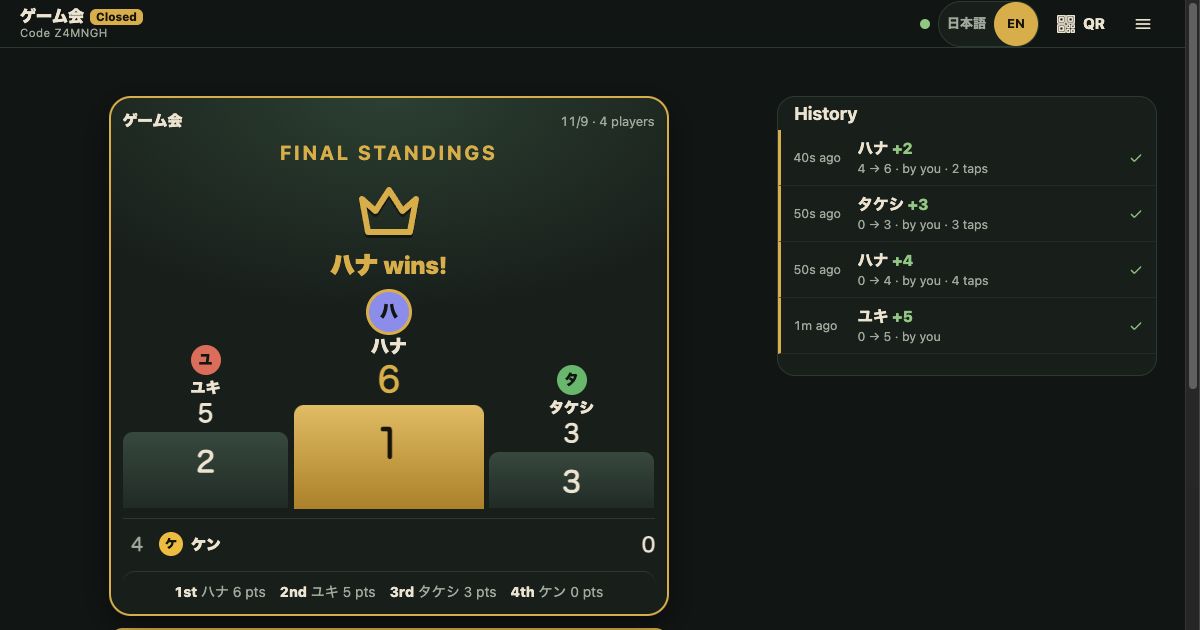
When several people tap at once, you start wondering whether your change landed and who changed what. So we show it three ways at once:
- The changed seat lights up, and a banner like "Yuki +5 → 17 (by Takeshi)" appears
- A history list builds up below, and you can undo mistakes from there
- Your own change shows "Sending," then "Applied"
The standings re-sort on the spot, sliding into place.
Born from suggestions during development
While we were building, these came in:
Does everyone have to open the app to keep score? I want one person to be able to track everyone.
Anyone who's in should be able to change anyone's score.
Now you can enter all the players' names when you create a table, so one person can keep score for everyone. Every row has its own − and + buttons, and the screen says plainly that anyone can change anyone's score.
We also added dice and "Pick who goes first," "Another game, same players" with "Tonight's summary," "Save image" for the results, and a "Big display" for a TV or tablet.
Honestly
Once, on a device that had been used for a long time, a score got stuck on "Sending" and never arrived. We still don't know why. If it happens to you, please let us know.
Tell us what you think
Honest feedback means the most to us. Even one answer helps.
- What game did you use it for? Did the counter type fit?
- When someone else changed a score, did you notice right away?
- Was anything confusing about joining (QR, passphrase, name)?
- Did a score ever fail to arrive, or arrive late?
Here's to a game night where nobody is stuck keeping score.